
CypCut System Decryption and License Activation Guide for Fiber Laser Cutting Machines
Time: 2026-05-25
As one of the most widely adopted control systems in the metal fiber laser cutting industry, the CypCut control system offers advanced motion control, intelligent nesting, process optimization, and high-precision cutting management capabilities.
After initial machine installation, industrial computer replacement, or system reinstallation, software authorization and registration activation must be completed before the equipment can operate normally.
To ensure stable operation, cutting accuracy, and long-term production reliability, Xianming Laser recommends following the standard activation procedure below.
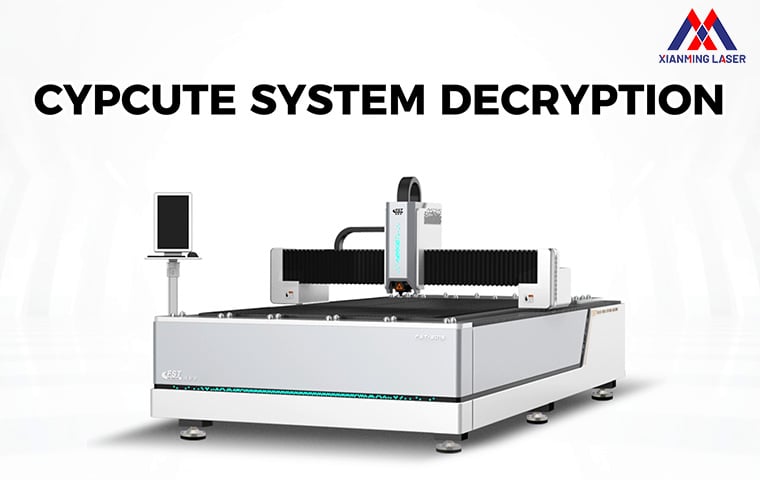
-
Machine Preparation Before CypCut Activation
Before activating the CypCut control system, please complete the following equipment startup and inspection procedures.
Connect Auxiliary Gas Supply
Connect oxygen, nitrogen, compressed air, or other auxiliary gases required for cutting operations, and ensure stable gas pressure and normal airflow conditions.
Fill the Water Chiller
Add sufficient purified water or professional industrial coolant into the water chiller to ensure proper heat dissipation and stable laser source operation.
Connect Main Power Supply
Correctly connect the main power cable of the fiber laser cutting machine, ensuring: Reliable groundingStable voltage supplySecure electrical connections
This helps maintain operational safety and prevents electrical interference.
Start the Cooling System
Turn on the main machine power switch first, then power on the water chiller.
Confirm that the cooling system is operating normally before proceeding.
Power On the Laser Source
Wait until the water temperature stabilizes at approximately 24°C or reaches the recommended operating range before turning on the laser source power supply.
Launch the CypCut Software
Start the industrial control computer and open the CypCut operating software to enter the main control interface. -
CypCut Registration and System Authorization Procedure
After entering the software interface, follow the steps below to complete system decryption and license activation.
Step 1: Open the Help Menu
Locate the “?” (Help) icon in the upper-right corner of the CypCut interface and click it.
Step 2: Access the Registration Window
In the pop-up menu, locate the Registration Code input section to open the software authorization window.
Step 3: Enter the Official Registration Code
Input the genuine registration code provided by Xianming Laser or the authorized supplier.
Please ensure: Accurate character inputCorrect uppercase and lowercase formattingNo extra spaces or incorrect symbols
Step 4: Complete Software Activation
Click the “Register” button to complete software verification, decryption, and authorization.
After successful activation, the CypCut system will unlock all operational functions and enter the normal machine control interface. -
Importance of Proper CypCut System Activation
Correct activation and authorization of the CypCut system are essential for maintaining optimal fiber laser equipment performance and production stability.
Proper system authorization helps ensure: Stable communication between the laser source, controller, and machine systemHigh-speed and high-precision cutting performanceSmooth motion control and intelligent processing functionsImproved production efficiency and operational safetyLong-term reliability for industrial manufacturing applications
-
Important Notes and Recommendations
Use Official Authorized Registration Codes
Always use official genuine registration codes provided by Xianming Laser to avoid:
✨Software instability
✨Functional limitations
✨Parameter loss
✨Unauthorized system errors
Maintain Stable Power Conditions
During the activation process, ensure a stable power supply and avoid:
💎Sudden shutdowns
💎Power interruptions
💎Forced system restarts
Verify Software Version Compatibility
If the registration code cannot be recognized, please verify: CypCut software versionControl card compatibilityAuthorization version matching
If necessary, contact Xianming Laser technical support for assistance.
Restart the Software After Activation
After successful registration, restarting the CypCut software is recommended to fully apply all machine parameters, control functions, and processing configurations. -
Professional Technical Support from Xianming Laser
Xianming Laser provides comprehensive technical support and professional laser processing solutions for global customers, including: Fiber laser cutting machine installation and commissioningCypCut system configuration and authorization assistanceLaser source parameter optimizationRemote technical troubleshootingIndustrial automation and intelligent manufacturing solutions
Proper completion of the CypCut system decryption and authorization process is a critical step toward achieving efficient, stable, and professional fiber laser cutting operations.
