
Standard Startup Procedure for Handheld Laser Cleaning Machine
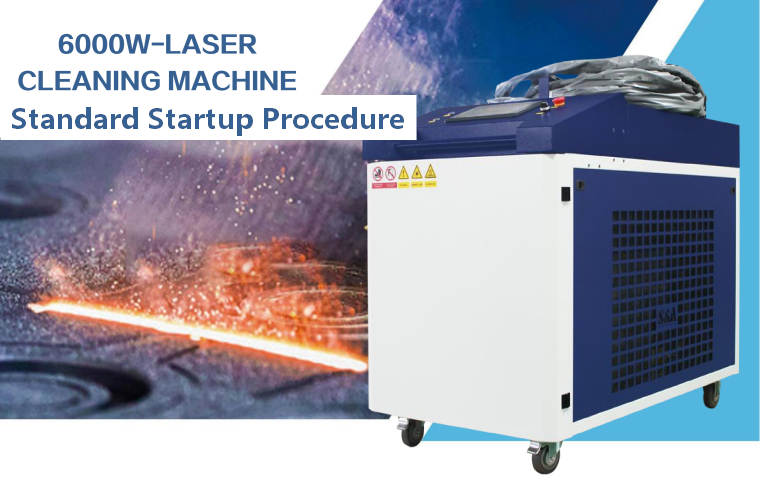
The handheld laser cleaning machine belongs to Class IV high-power fiber laser equipment. Startup sequence is strictly defined. Many irreversible failures such as laser source burnout, optical lens damage and internal circuit fault are caused by disorderly startup operation. Operators must master the complete, standardized startup workflow.
Step 1: Complete Full Pre‑start Inspection
Before switching on any power supply, finish all the pre‑start inspection items we introduced separately. Do not skip inspection to save time.
- Confirm power cable, grounding and emergency‑stop button are in normal status.
- Check chiller water level, water quality and all water pipelines without leakage.
- Check gas circuit, gas pressure and no air leakage at every connector.
- Inspect cleaning gun fiber cable, protective lens, focusing lens and sealing ring.
- Clear flammable objects at the workplace, prepare laser protective equipment and exhaust smoke system.
- Confirm no alarm records remain on the control system.
Step 2: Switch on Main Power & Release Emergency‑Stop
- Close the main air switch of the machine power distribution cabinet to feed the whole machine.
- Check all emergency‑stop knobs: emergency stops on machine cabinet and handheld gun must be rotated and popped out fully. Stuck emergency stop will lock the whole system.
- Turn the laser key switch to the REM (remote) position. This mode allows the control panel to send signals to activate the laser source.
- Turn on the touch screen controller, wait for the industrial control system to boot completely. Do not operate during booting.
- After booting, view the homepage status bar, confirm no red alarm prompts pop up. If alarms appear, troubleshoot before proceeding.
Step 3: Start Water Chiller & Wait for Temperature Stabilization
This is the most critical step. The laser source cannot be activated before cooling system reaches the target temperature.
- Enter the chiller control interface or press the dedicated chiller start button to run the refrigeration system.
- Check chiller running data in real time: water flow rate, inlet & outlet temperature. Normal flow alarm threshold shall not be triggered.
- The default target temperature for fiber laser chiller is usually 25–28℃. Keep waiting until the water temperature reaches the set value and stays stable for 3–5 minutes.
Warning: If the chiller cannot reach set temperature or temperature fluctuates violently, stop startup and check water circuit, filter and radiator.
Step 4: Turn on Protective Gas & Adjust Working Pressure
Protective gas is used to blow away spatter and protect the optical lens from smoke contamination and burn.
- Open the valve of gas cylinder (nitrogen /argon/dry compressed air) slowly, avoid sudden high‑pressure impact.
- Adjust the pressure reducing valve, set working pressure within the recommended range: 0.3–0.5 MPa.
- Listen carefully for air leakage from pipe joints, quick connectors and gun head. Deal with leakage immediately.
- Confirm the gas pressure feedback value displayed on the control screen matches the actual pressure. The gas interlock protection function must remain enabled.
Step 5: Activate Laser Source & Enter Laser Ready State
Only after cooling stable and gas supply normal can this step be executed.
- Find the laser enable button on the HMI touch screen and activate the laser source.
- Wait for the laser self‑check process. The system will detect laser communication, internal temperature and power supply status automatically.
- If self‑check passes, the laser status will change to READY. If self‑check fails, check laser alarm code according to manual.
- Do not repeatedly click the laser enable button frequently if self‑check fails, which may damage the laser driving board.
Step 6: Load & Select Corresponding Process Parameters
Different metals, rust thickness, paint layers and cleaning requirements need different laser parameters.
- Open the built‑in process library of the system.
- Select the preset recipe according to your workpiece: carbon steel rust removal, stainless steel oxide cleaning, paint stripping, oil layer removal etc.
- Double‑check core parameters: laser power, scanning speed, scan width, pulse frequency, duty cycle.
- For new workpieces without mature recipe, start with low power for trial cleaning, then increase parameters gradually.
- Save new valid recipes to the library for repeated use later.
Step 7: Activate Red Light Preview & Calibrate Light Spot
Red light is the positioning guide light, coaxial with the laser beam.
- Turn on the red preview light on the touch panel.
- Aim the gun nozzle toward the test workpiece, check whether the red light spot is centered and stable.
- If the red light deviates obviously, stop operation and check the internal light path of the cleaning head.
- Adjust the distance between gun head and workpiece to match the focal length marked on the gun shell.
Step 8: Prepare Personal Protection & Exhaust System, Start Formal Cleaning
- Operator must put on laser protective glasses, heat‑resistant gloves and protective clothing before cleaning.
- Turn on the smoke exhaust and dust collection device to suck away smoke, metal oxide dust and paint vapor.
- Keep bystanders out of the working zone.
- After all preparations are completed, trigger the laser output switch on the cleaning gun to start formal cleaning work.
Important Reminders During Operation
- Always keep protective gas running during laser output. Never cut off gas while the laser is emitting.
- Observe the real‑time temperature of the protective lens on the screen continuously. If temperature rises sharply, stop laser immediately.
- If abnormal noise, peculiar smell or sudden power drop occurs, release the trigger and stop laser output at once.
- Do not leave the machine unattended when laser is ready or outputting.
The startup order cannot be reversed or skipped arbitrarily. Many expensive laser source failures and lens burn accidents are caused by disorderly startup. Train all operators strictly with this standard procedure
