
Standard Shutdown Procedure for Handheld Laser Cleaning Machine
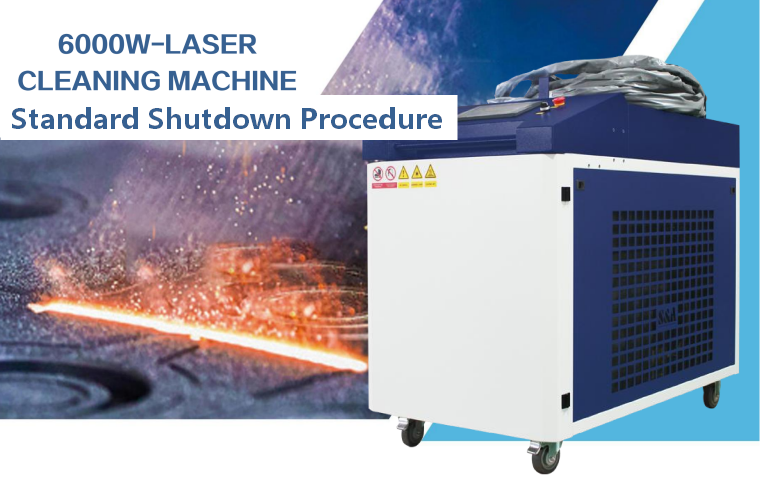
The handheld laser cleaning machine is Class IV high‑power fiber laser equipment. Shutdown is not simply cutting off power directly. Improper shutdown will cause residual heat accumulation in laser source, scald protective lenses, leave water circuit risks and accelerate the aging of core components. A standardized shutdown sequence protects your equipment and reduces maintenance costs.
Step 1: Stop Laser Output First
This is the first and most important step. Never skip this operation.
- Release the trigger switch on the handheld cleaning gun to cut off laser emission immediately.
- Confirm that the laser emission indicator on the touch screen goes out, and the laser stops scanning.
- If the laser is in continuous working state or stuck, press the emergency‑stop button on the gun head to force stop laser output only in emergency situations. Under normal conditions, do not use emergency stop to shut down the laser.
- Keep the protective gas running for a short while after stopping laser, to blow away residual smoke and heat on the protective lens.
Step 2: Exit the Cleaning Program & Disable Laser Enable
- On the HMI touch screen, stop the running cleaning recipe and exit the scanning working interface.
- Click the laser disable button on the control panel to turn off the laser source enable signal. The laser status will switch from READY to OFF.
- Do not cut off power directly while the laser is still in READY state, which may cause abnormal laser communication errors.
- Wait 10–20 seconds for the laser internal drive circuit to complete safe unloading.
Step 3: Close the Protective Gas Supply
Protective gas cannot be shut down before the laser and lens fully cool down.
- After the protective lens temperature drops back to near room temperature, close the gas outlet valve on the machine side first.
- Then slowly close the main valve of the gas cylinder (nitrogen /argon/compressed air).
- Release the residual pressure inside the gas pipeline by slightly opening the pressure relief knob of the pressure reducing valve, until the pressure gauge returns to zero.
- Do not leave high pressure stored in the air hose overnight, which will accelerate aging of air pipes and quick connectors.
Step 4: Shut Down the Water Chiller
The laser source generates a large amount of heat during operation. The chiller must keep running to dissipate residual heat.
- Do not shut down the chiller right after turning off the laser. Continue cooling for 5–10 minutes.
- After the laser internal temperature drops to the safe range, press the stop button of the chiller or stop it from the control interface.
- Check whether the water pump stops normally and the flow reading returns to zero.
- If the machine will be stored for a long time in low‑temperature environment below 0℃, drain all cooling water from the chiller and laser water circuit with dry air after shutdown, to prevent pipeline frost cracking.
Step 5: Close the Control System & Turn Off Screen Power
- Confirm that all running tasks are terminated and there are no active alarms on the interface.
- Close the control software properly, then switch off the power supply of the touch screen and industrial controller.
- Do not force close the system by cutting power when the software is saving parameter data, which may corrupt the stored process recipes.
Step 6: Reset Status & Tidy Up the Handheld Cleaning Gun
- Place the handheld cleaning gun steadily on the dedicated gun bracket. Never place the gun randomly on the ground or stack heavy objects on it.
- Organize the fiber optic cable neatly. Maintain the bending radius ≥30 cm, avoid sharp bends, extrusion and knotting.
- Wipe the outer surface of the gun housing with dry soft cloth to remove dust, rust powder and paint residue. Do not use wet cloth to clean electrical connectors.
- Check the protective lens surface again. If it is polluted or burned, replace it before the next startup instead of leaving it for next shift.
Step 7: Cut Off Main Power Supply
- After all the above steps are finished, turn the laser key switch back to OFF position.
- Open the cabinet air switch and cut off the main AC power of the whole machine.
- If the workshop power supply is unstable, unplug the main power plug for extra protection during long‑term shutdown.
Step 8: Tidy Workstation & Complete Post‑Shutdown Inspection
- Turn off the smoke exhaust and dust collection equipment.
- Clean up metal dust, paint slag and debris on the workbench and ground. Laser dust of some materials is flammable, do not accumulate for a long time.
- Store laser protective glasses, heat‑resistant gloves and protective clothing in a dry and clean area.
- Record the running information: working hours, abnormal alarms, lens replacement status in the equipment logbook for later maintenance reference.
Important Warnings & Common Mistakes
❌ Mistake 1: Directly cut off main power while laser is still running. This will cause heat accumulation inside laser and reduce laser service life sharply.
❌ Mistake 2: Shut down chiller immediately after laser stops. Residual heat cannot be dissipated and may burn internal optical components.
❌ Mistake 3: Close protective gas too early. High‑temperature lens will be contaminated or burned by smoke.
❌ Mistake 4: Throw the cleaning gun on the floor and bend the fiber cable sharply.
✅ Rule: The shutdown sequence must follow: Stop Laser → Disable Laser → Gas Off (after cooling) → Chiller Off → System Close → Power Off
Correct shutdown is as important as standard startup. It protects expensive laser source and optical consumables, reduces unexpected failures and stabilizes long‑term production. Train all operators to follow this workflow after each cleaning task.
