
Troubleshooting Guide for Handheld Laser Cleaning Machine
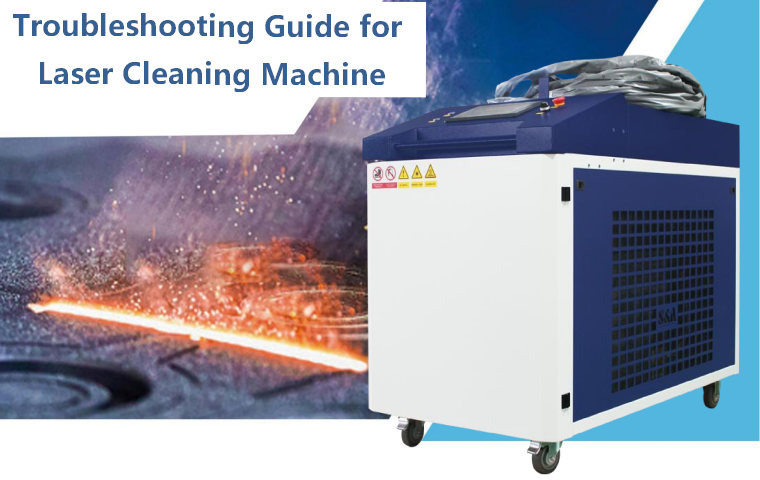
The handheld laser cleaning machine is Class IV high-power fiber laser equipment. When faults occur, forced startup, shielding alarms and random disassembly will easily burn the laser source, optical lenses and control board, and may lead to laser radiation injury or electric shock accidents. All troubleshooting must follow safety rules: stop laser output first, judge the fault phenomenon, check step by step, and stop operation immediately if uncertain.
Pre-Troubleshooting Safety Rules
Before checking any fault, you must comply with the following rules:
- Release the gun trigger to stop laser emission immediately. If there is smoke, peculiar smell or spark, press emergency stop and cut off the main power supply directly.
- Record complete fault information: alarm code, screen prompt, working parameters, workpiece material, running duration, and take photos or videos for after-sales confirmation.
- Do not short-circuit interlock protection (water flow, water temperature, air pressure, lens temperature, emergency stop). These protections are designed to save the laser source.
- For internal cabinet inspection, cut off main power and wait at least 15 minutes for capacitor discharge. Wear anti-static gloves and laser protective glasses.
- Ordinary operators are only allowed to inspect external consumables and pipelines. Laser source, control motherboard and internal optical path can only be inspected by factory-certified technicians.
Fault Category 1: No Laser Output / Cannot Fire Laser
Phenomenon: The system boots normally, red preview light is on, parameters are set, but no laser comes out after pulling the trigger.
Possible causes & solutions
- Laser enable not activated The laser status is still OFF instead of READY. Go to the HMI and enable the laser source, wait until self-check is passed.
- Emergency stop not fully reset Check emergency stop knobs on the cabinet and cleaning gun. Rotate them clockwise to pop out completely. Emergency stop alarm will lock laser output.
- Air pressure interlock alarm triggered Air pressure is lower than the set threshold. Check the cylinder valve, pressure reducer, pipeline leakage. Adjust pressure to 0.3–0.5 MPa.
- Water flow / water temperature alarm Chiller flow is insufficient or water temperature exceeds limit. Laser interlock cuts laser output automatically. Keep chiller running and check water circuit.
- Trigger switch failure or loose wiring If red light is normal and no alarm appears, check whether the gun trigger is loose or damaged. Do not repeatedly pull the trigger frequently.
- Laser source communication failure Display shows communication error. Reboot the whole machine once. If the fault repeats, contact after-sales.
❌ Wrong operation: Keep pulling the trigger repeatedly to test, which may damage the laser drive board.
Fault Category 2: Weak Laser / Poor Cleaning Effect
Phenomenon: Laser can be triggered, but cleaning speed drops obviously, rust and paint cannot be removed thoroughly under the original parameters.
Possible causes & solutions
- Protective lens contaminated or burned (the most common reason) Power off, seal the gun nozzle, take out the protective lens for inspection. Replace if there are burns, black spots or film damage.
- Focusing / collimating lens polluted If the new protective lens still results in weak light, the internal focusing or collimating lens may be contaminated. Do not disassemble the gun head by yourself.
- Abnormal fiber connection or fiber damage Check the fiber sheath for scratches and extrusion. If the fiber is bent beyond the minimum bending radius, stop using it.
- Unmatched focal distance The gun head is not kept at the standard focal length from the workpiece. Adjust the working distance according to the mark on the gun shell.
- Unreasonable process parameters Check whether power, frequency, scanning speed and line spacing are changed by mistake. Restore the original mature recipe.
- Insufficient protective gas or gas with oil & water Oil-water separator fails, oil and moisture enter the light path and pollute lenses. Drain the oil-water separator immediately.
❌ Wrong operation: Blindly increase laser power to compensate weak light, which will accelerate lens burning.
Fault Category 3: Red Positioning Light Abnormality
Phenomenon: No red light, red spot flickers, red spot is eccentric, red light and laser are not coaxial.
Possible causes & solutions
- Red light module power supply loose or damaged.
- Optical path offset caused by gun head impact or drop.
- Heavy contamination of internal optical lenses.
- Red light parameter closed by mistake on HMI.
Handling steps: Stop machine immediately. If the red spot deviates seriously, do not trigger laser output, otherwise the laser will burn the internal lenses. Record the phenomenon and contact technical support for optical calibration.
Fault Category 4: Chiller Related Alarms
4.1 High water temperature alarm
Causes: Radiator blocked by dust, fan failure, ambient temperature too high, insufficient cooling water. Solutions: Clean condenser dust filter; check chiller fan; ensure workshop ventilation; replenish deionized water.
4.2 Low flow / flow loss alarm
Causes: Water pipeline folded, filter blocked, water pump aging, water level too low. Solutions: Straighten pipelines; clean water filter; check pump running sound; add cooling water.
4.3 Water level alarm
Add qualified deionized /distilled water only. Tap water is forbidden.
Fault Category 5: Lens Over-Temperature Alarm
Phenomenon: Screen pops up lens high temperature alarm, machine locks laser output.
Possible causes & solutions
- Protective lens burned or heavily contaminated.
- Protective gas cut off or air pressure too low.
- Gas nozzle blocked by slag and dust.
- Continuous long-time high-power operation without interval.
Operation steps: Keep protective gas on, stop laser output and wait for cooling. After temperature drops, power off and inspect the lens and gas nozzle. Clean or replace parts as needed. Do not reset the alarm and continue working before troubleshooting.
Fault Category 6: Abnormal Noise, Vibration & Strange Smell
- Abnormal noise from chiller: Impurities in the water circuit, pump bearing aging, fan collision. Stop laser and inspect the chiller separately.
- Abnormal sound inside control cabinet: Loose electrical terminals, fan failure, transformer abnormality. Immediately press emergency stop and cut off power, do not open cabinet by yourself.
- Burnt plastic smell / smoke: Circuit short circuit, board burnout. Emergency stop and cut off main power at once, isolate the equipment.
Fault Category 7: Frequent Automatic Restart / System Crash
Causes: Unstable workshop power supply, loose power wiring, control board overheating, system program exception. Solutions: Check the input voltage; fasten power terminals; clean the cabinet cooling fan dust; back up process parameters and restart the controller. If it recurs, ask technicians to test the power supply module.
Fault Category 8: Gas Circuit Alarm & Air Leakage
Phenomenon: Air pressure cannot stay stable, pressure drops rapidly after inflation, air leakage sound at joints.
Solutions: Check cylinder outlet, pressure reducer, quick connectors and air hose. Replace cracked and aged air pipes. Tighten loose connectors. Drain water and oil from the oil-water separator weekly.
Fault Quick Reference Table
| Fault Phenomenon | Priority Inspection Item | Prohibited Operation |
|---|---|---|
| No laser, red light normal | Emergency stop, air pressure, laser enable | Repeated trigger test |
| Weak cleaning effect | Protective lens | Increase power blindly |
| Lens over temp alarm | Lens, air supply, nozzle | Reset alarm to continue working |
| Chiller high temp alarm | Condenser, filter, ambient temp | Continue laser output |
| Red spot offset / no red light | Gun head impact, internal optical path | Force laser firing |
| Smoke and burnt smell | Internal electrical circuit | Open cabinet to check by yourself |
Post-Fault Notes
- After troubleshooting, do not run full power immediately. Perform low-power trial cleaning first and observe the running data for 3–5 minutes.
- Save the alarm log and fault record into the equipment maintenance ledger, which helps judge periodic hidden dangers.
- If the fault occurs repeatedly after simple maintenance, stop production and contact after-sales technical support, do not run the machine with hidden dangers.
The laser cleaning machine has high-value core components such as fiber laser source and precision optical lenses. Most permanent damage is caused by improper fault handling instead of natural aging. Standardized fault judgment and safe disposal can greatly extend the service life of your equipment and reduce downtime losses.
